Welcome to VTAplus's Information Page!
VTAplus will grant users the ability to create and maintain personalized, subscription-based accounts on our VTA.org website for long-term route and project/program notifications. Users will be able to favorite routes, customize trip subscriptions, and subscribe to programs and receive email/text message alerts.
How to Access VTAplus
VTAplus can be accessed from this page and in the top righthand corner of any webpage on VTA.org.

How to Create a VTAplus Account
- In order to create a VTAplus account, please click on the VTAplus button, located in the top bar.

- Click on Sign up, and enter your email address, password, first name and last name.

- To verify your email address and activate your account, please click the on the "Activate Account" button in your email.

VTAplus Dashboard
Upon activating the account, users will be directed to the VTAplus Dashboard, which will present each of VTAplus's 4 features:
- VTAplus Routes
- VTAplus Alerts
- Trip Subscriptions
- Notice Subscriptions

Features:
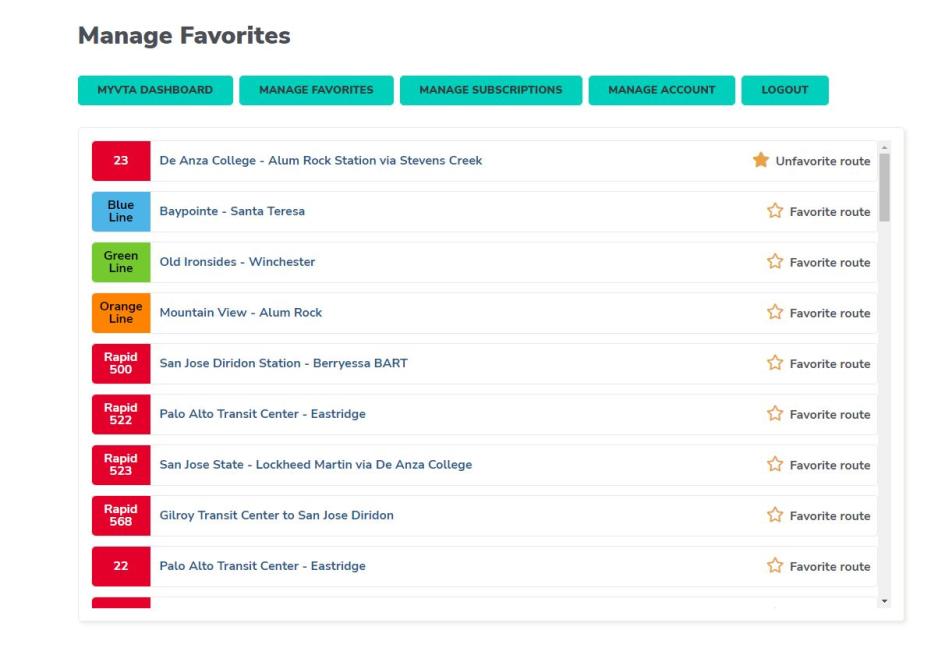
1. VTAplus Routes - Manage Favorite Routes
With VTAplus Routes, users will be able to favorite routes across all Route pages on the website.
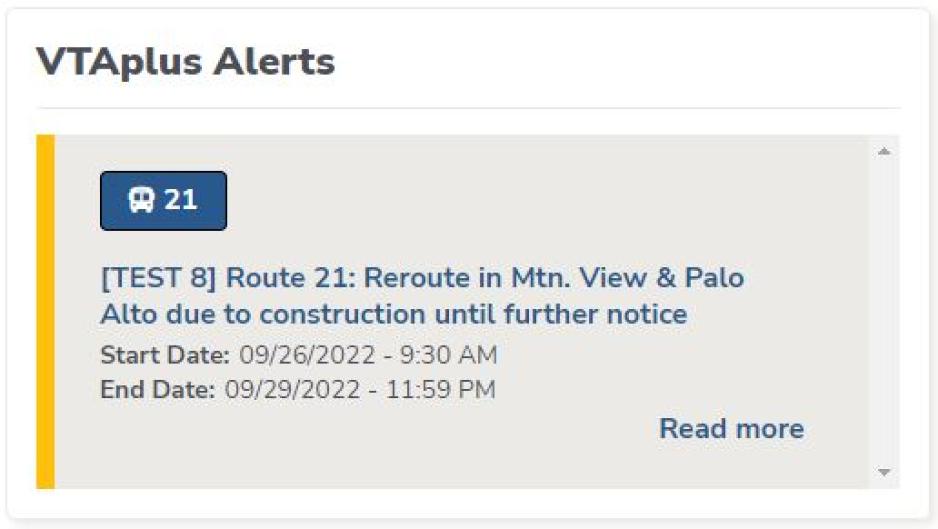
2. VTAplus Alerts
With VTAplus Alerts, users will be able to view all selected/favorited alerts at a quick glance.
3 & 4. Trip/Notice Subscriptions
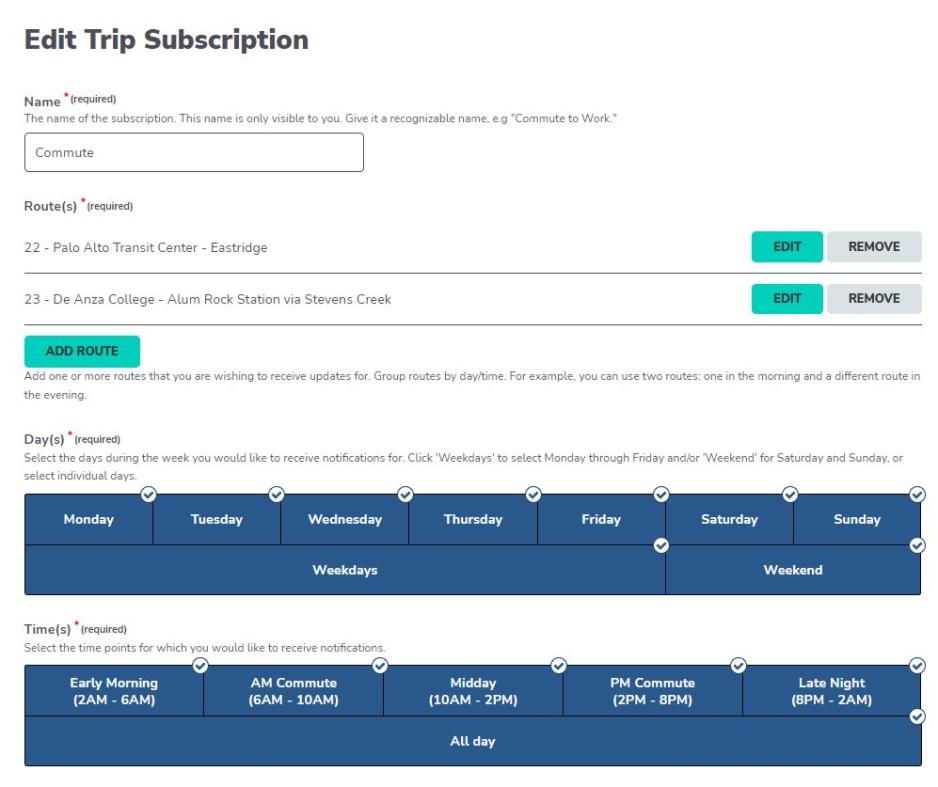
With the Manage Subscriptions button, users will be able to create and edit their own trip and notice subscriptions.
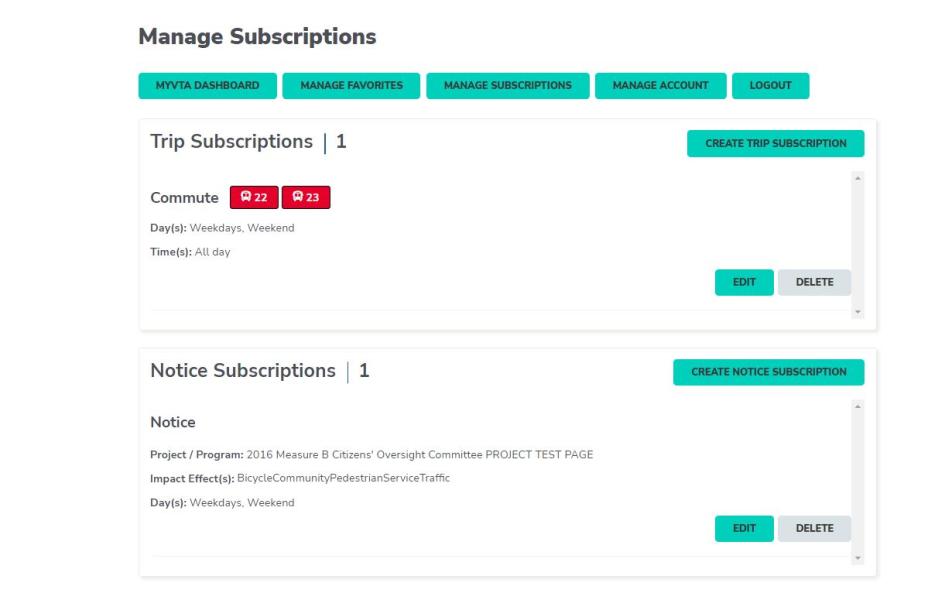
For trip subscriptions, users will receive service alerts – long-term disruptions, including reroutes, bus stop closures, and bus bridges.
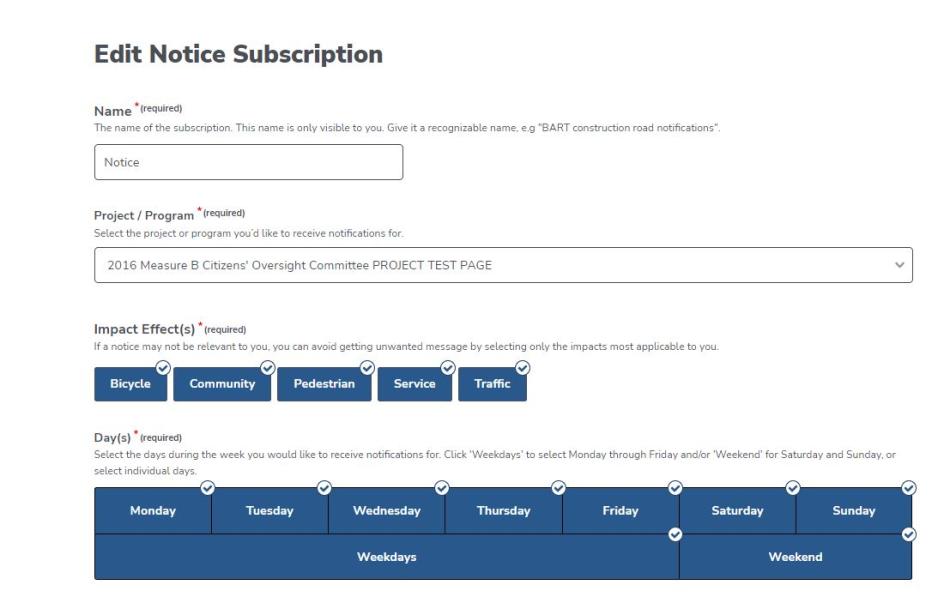
For notice subscriptions, users will be able to select their project/program of choice (e.g. Transit Oriented Development), impact effect (e.g. Bicycle, Community, Pedestrian, Service, Traffic, etc.), and day of the week.
FAQ:
How can I make changes to my account (e.g. change email/messaging preferences)?
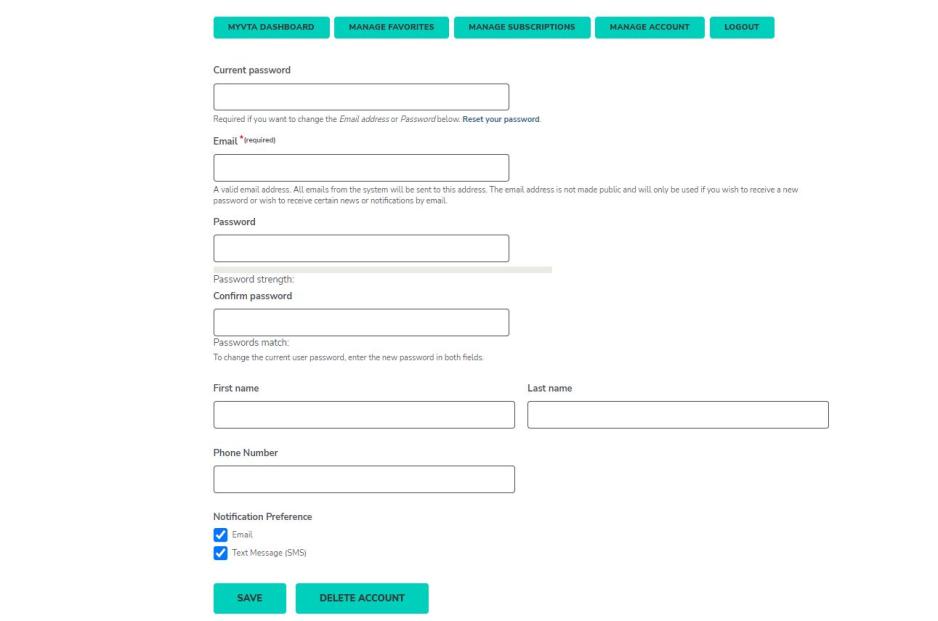
In order to make changes to your VTAplus account, please click on the "Manage Account" button, where you will be able to:
- Change/Reset your password
- Change your email
- Change your first/last name
- Change your phone number
- Edit your notification preference (email/text message)
Where can I find information about VTA's privacy policy?
VTA's privacy policy can be found on the Privacy Policy page.
Will I be able to delete my account?
You will be able to delete their accounts by accessing the Manage Account button in the toolbar.